Processing in 3Dsurvey is now significantly faster. The reconstruction phase (point cloud and mesh) has been optimized to deliver results up to twice as fast, reducing overall processing time by around 40-50% on average. This means large projects that previously took hours can now be completed in roughly half the time.
Let’s review the time performance with two datasets as an example. Both of them were processed on a laptop with the recommended hardware configuration.
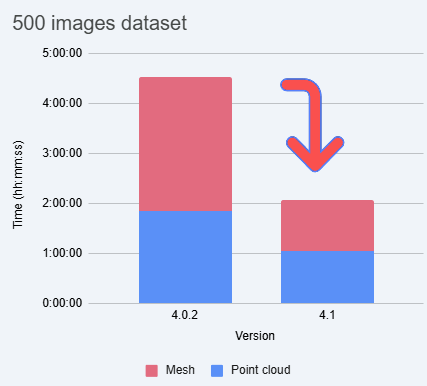
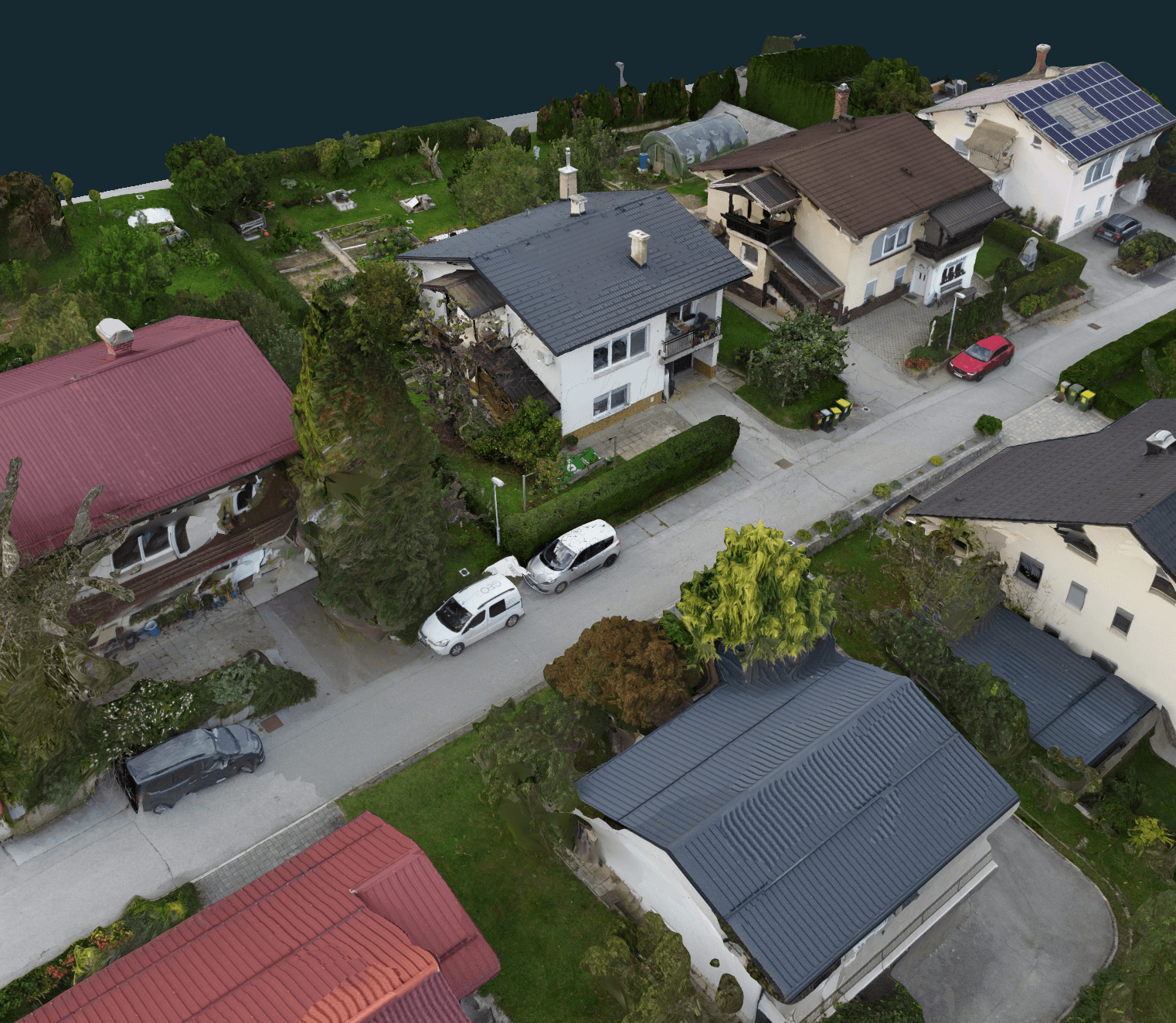
For the first dataset, a DJI Mini 2 drone was flown manually capturing 500 images.
As you can see in the graph, with version 4.1, a lot of time is saved on Mesh calculation; calculating depth maps and other technical tasks all happening in the background. As a result, processing time reduces from about 4.5 hours to 2 hours with the new version.
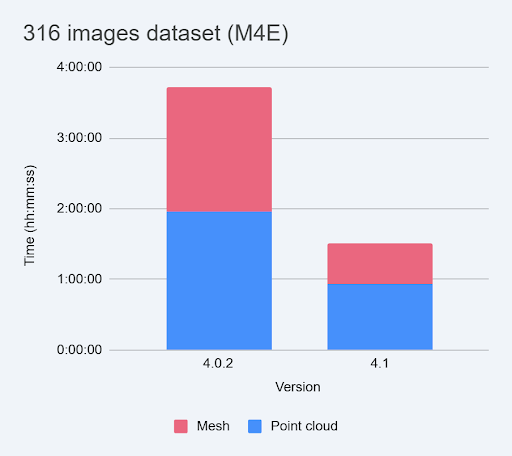
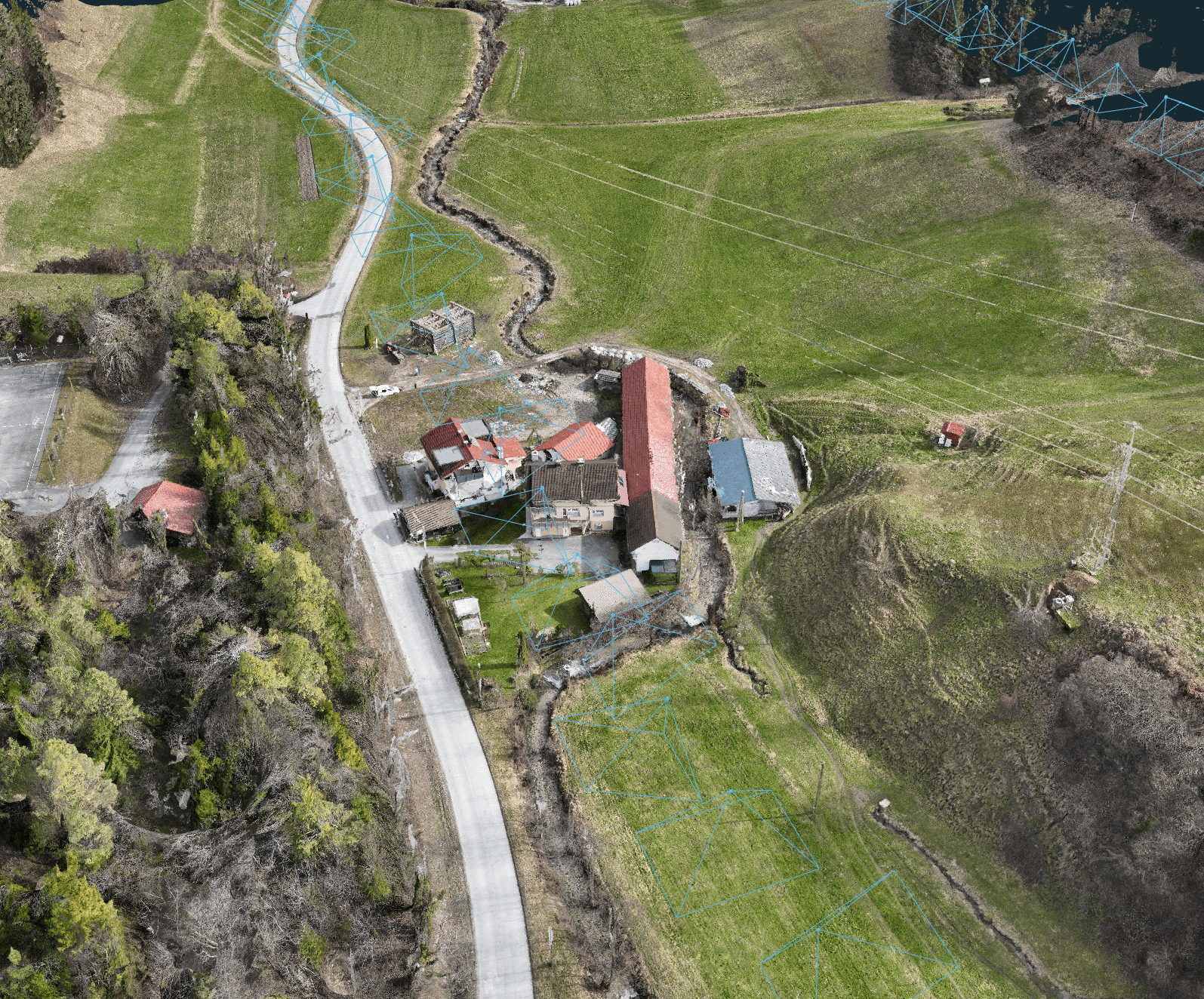
The second dataset is a better representative of a modern photogrammetry project. For this mixed environment mapping project we captured 316 images using our DJI Matrice 4E. On this dataset even more time was saved. The processing time was reduced by 59%.
The best part is that there is no quality compromise. On the contrary, the point cloud density is increased and the 3D mesh is refined.
To evaluate the effectiveness of the new approach, we tested it across a diverse range of projects and machines. This testing included variations in datasets such as image count, mission type, and the drone/camera model used, while also being run on more than 5 different machine configurations. The greatest advantages are seen on datasets with high image overlap, such as those from modern approach missions, and when using machines equipped with powerful GPUs. Also improved handling for high-resolution images has been implemented.
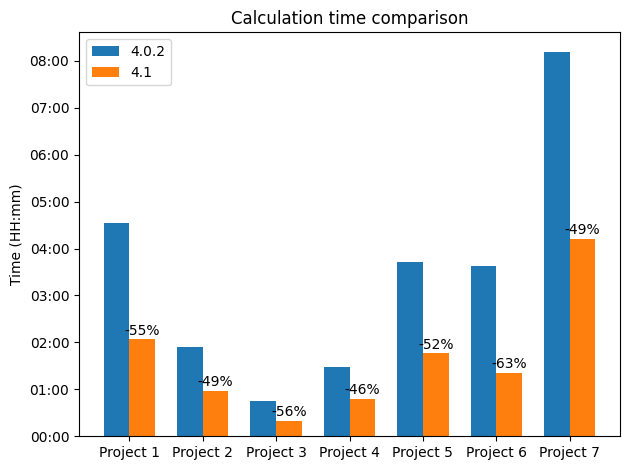
Version 4.1 offers a substantial performance improvement, significantly reducing processing time across all tracked projects compared to version 4.0.2. The percentage of time saved by using version 4.1 is indicated above the orange bars in the graph below. Importantly, this time saving is consistent and not dependent on the project size, as the graph includes projects tested across a wide range, from 63 images (Project 3) up to 884 images (Project 7). In addition, Project 2 and Project 5 were computed on two different PCs, while the others were done on a laptop.
Processing time comparison for 7 projects of various sizes.
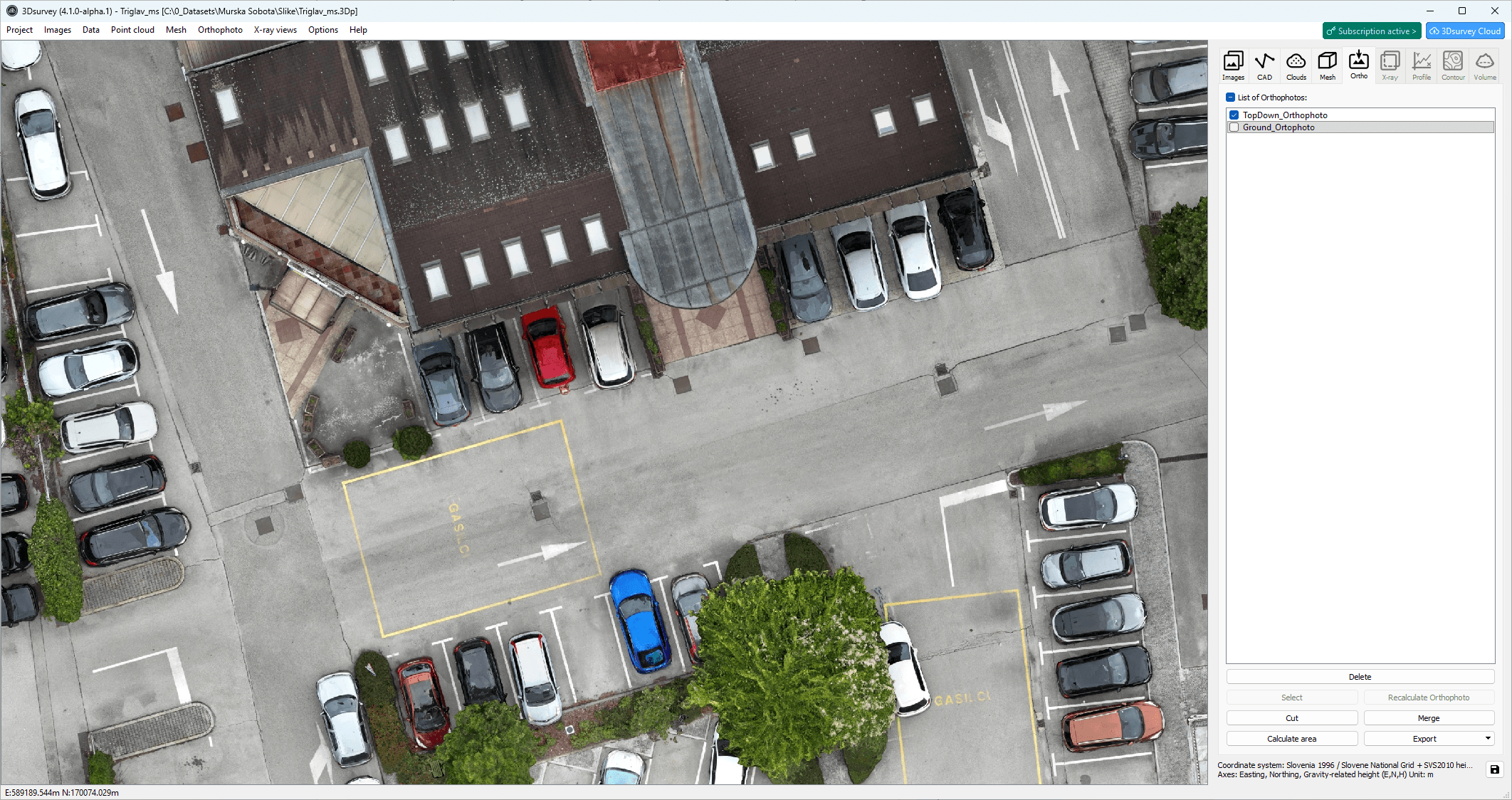
2. Cleaner Mesh > Edge Complete Orthophoto
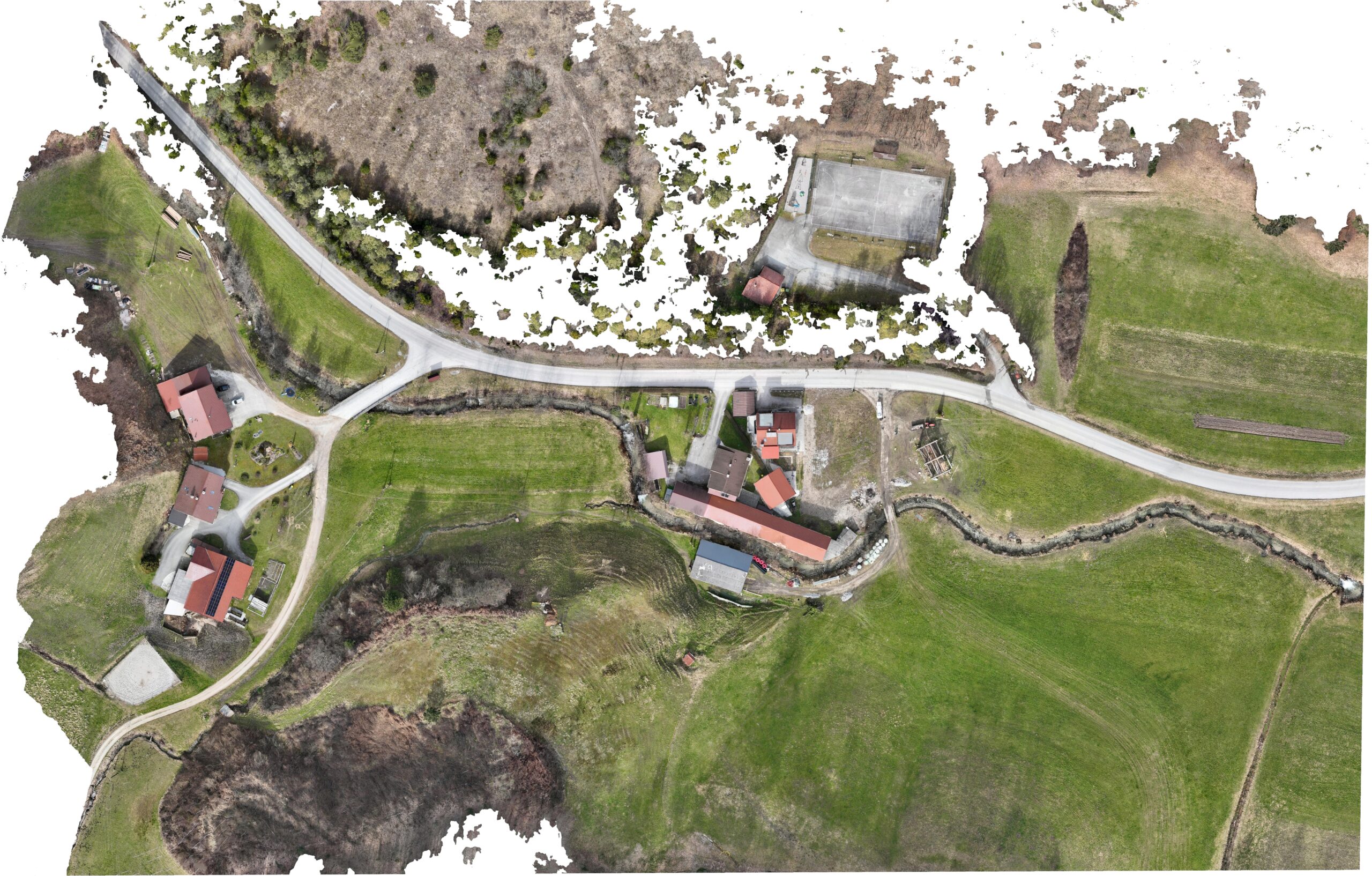
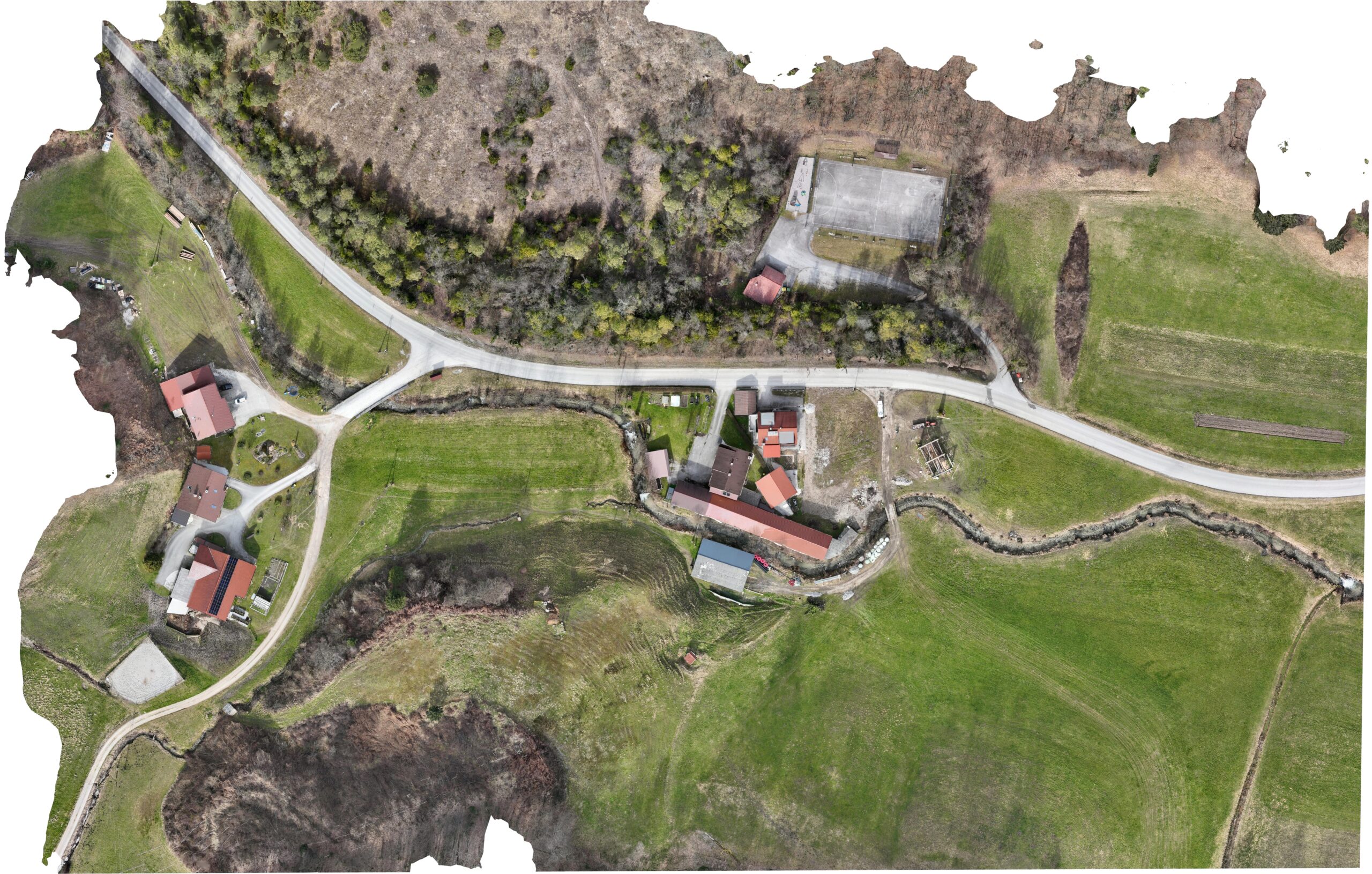
The improved mesh generation eliminates gaps and surface inconsistencies that previously caused holes and ruptures in orthophotos. As a result, orthophotos are now complete (especially along edges) without missing areas or broken surfaces.
This fixes issues caused by imperfect mapping. This is especially evident when vegetation obscures ground features near orthophoto boundaries, which previously resulted in holes in both the mesh and the orthophoto.
Improved True orthophoto generation makes sure there’s no holes in your orthomosaic.
3. User Interface Enhancements
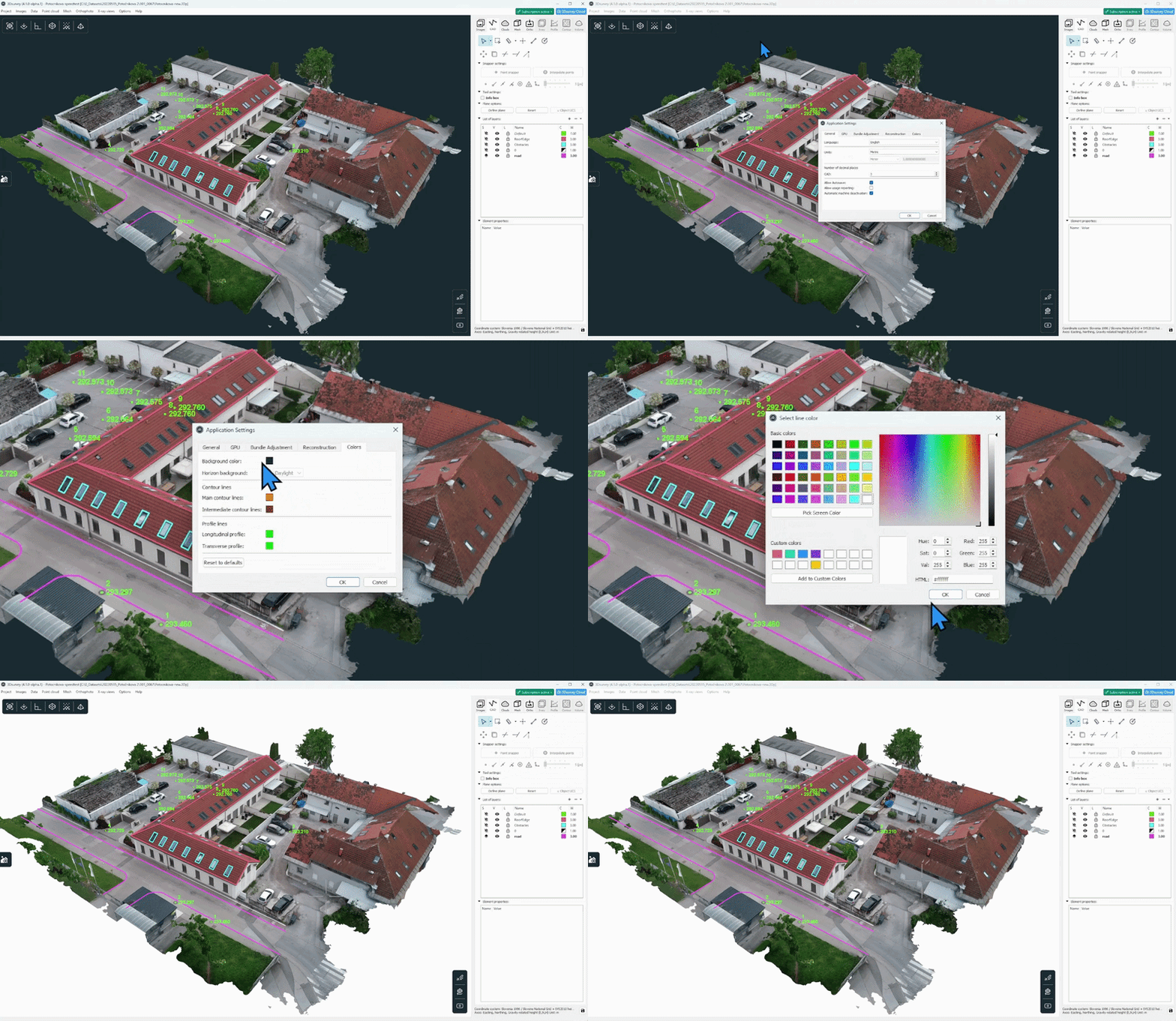
Several interface improvements make 3Dsurvey easier and faster to use. Tab icons ensure all project data is visible without hidden tabs, a project search bar helps you quickly find projects, and license status reminders keep you informed about subscription or support expiration directly in the software. Users can also customize the background color and visualization settings for clearer screenshots, eye pleasing visualization and better reporting.
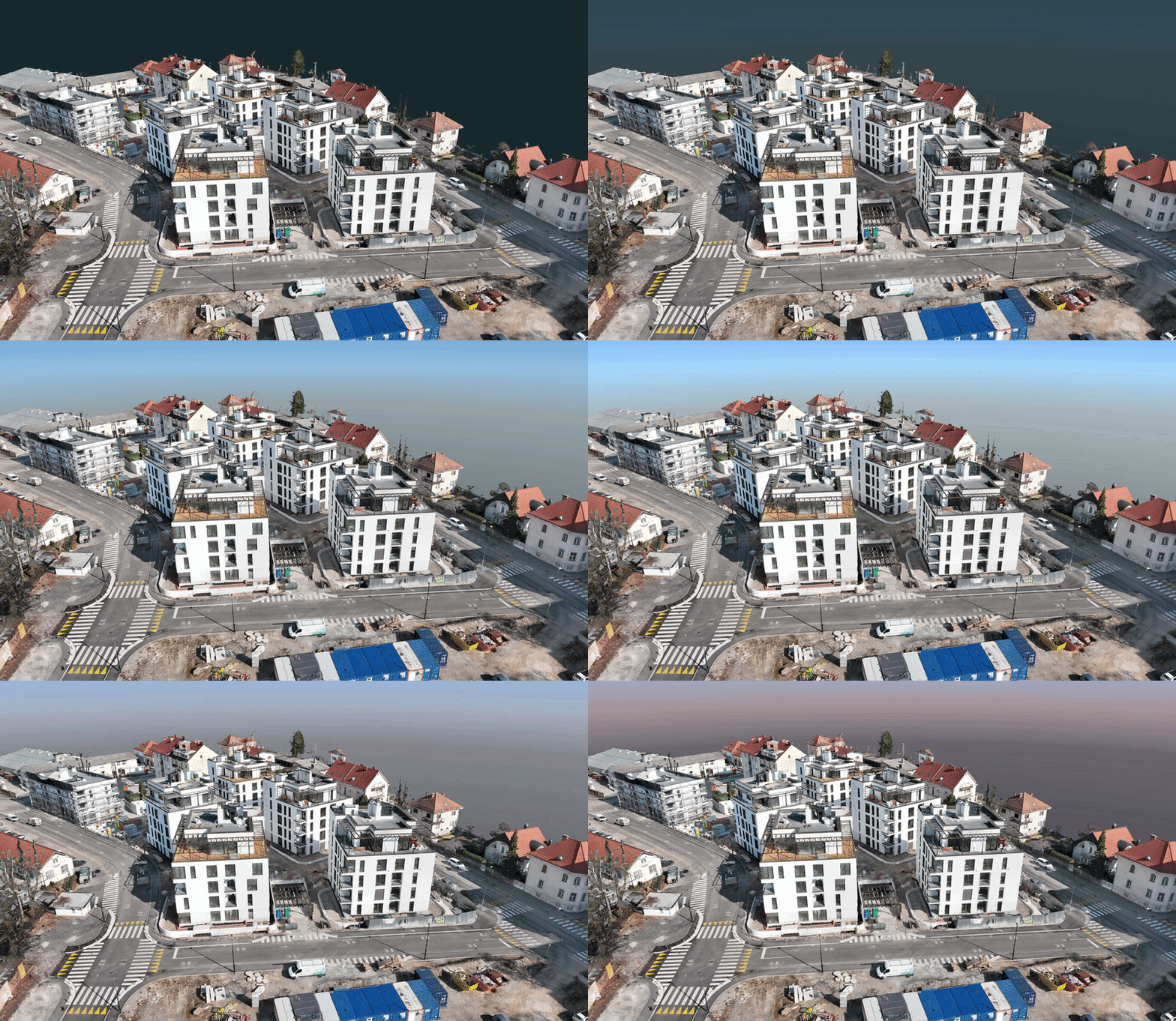
Customizable background color and more This is ideal for reports and presentations. Based on your feedback we also added an option to create cleaner screenshots and/or realistic visualisations with daylight or dusk background. In addition, there are now options to set a custom color for contour and profile lines. This is especially useful for terrain that is predominately brown.
Enhance your visualization with a sky background.
Delivery print-friendly results.
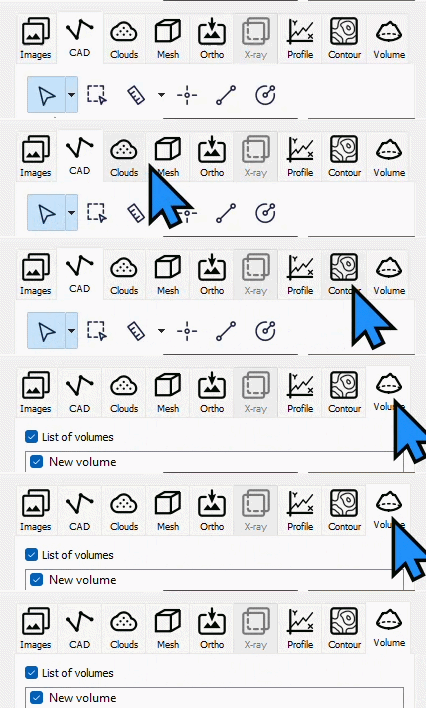
New tab icons Besides looking more modern, tab icons ensure all project data is visible without hidden tabs, ensuring faster and more convenient navigation.
New design fits all the tabs working panel width.
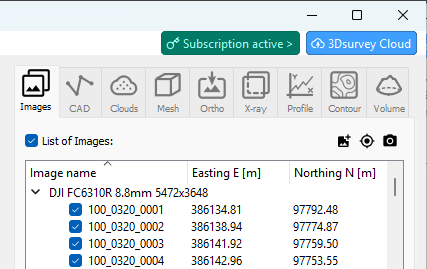
License & Cloud status info Clear license and cloud indicators keep you informed so you never lose access to updates, support or cloud uploads.
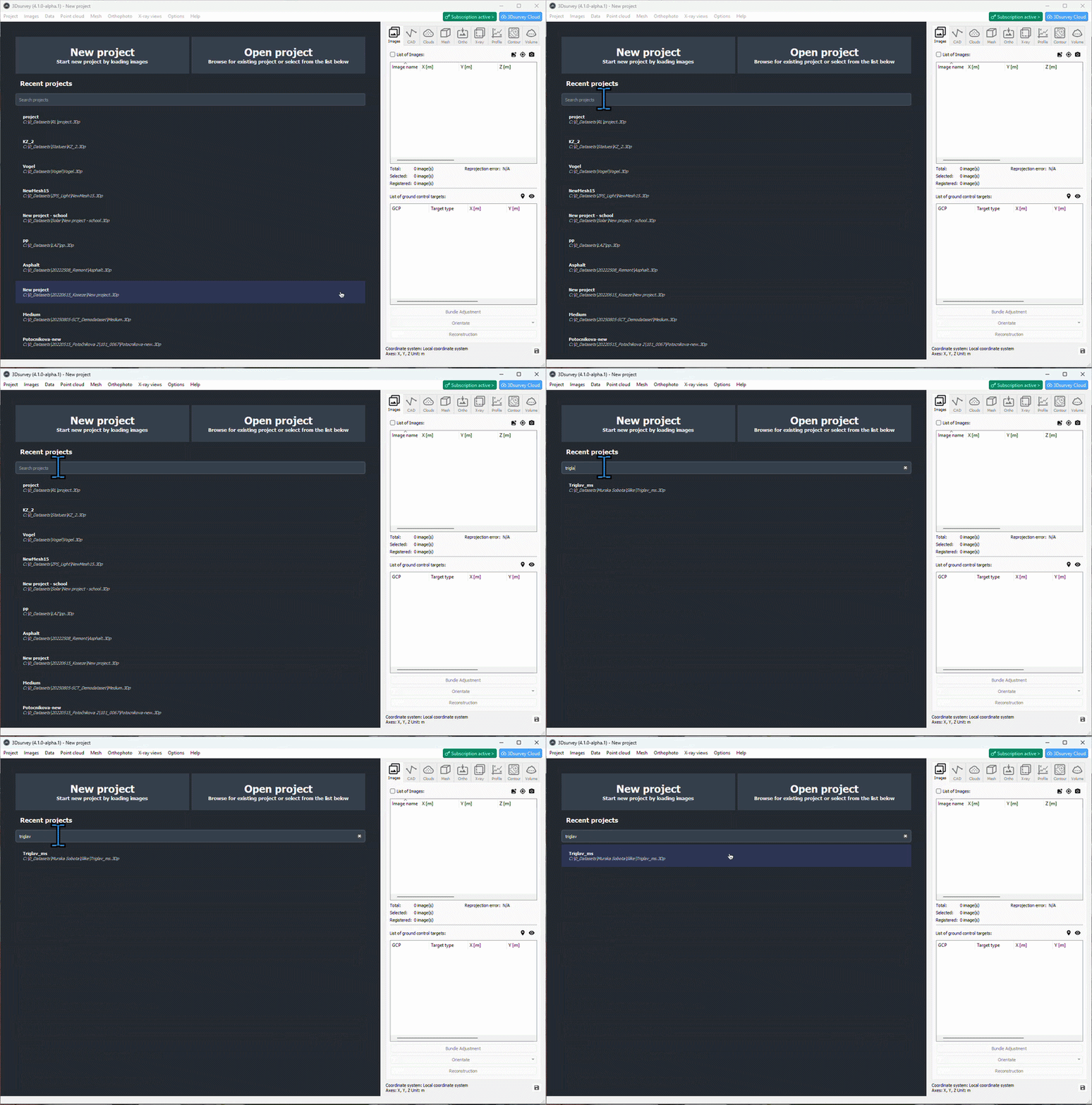
Project history search Quickly locate any project in the home page with the new search bar. No more scrolling through long lists.
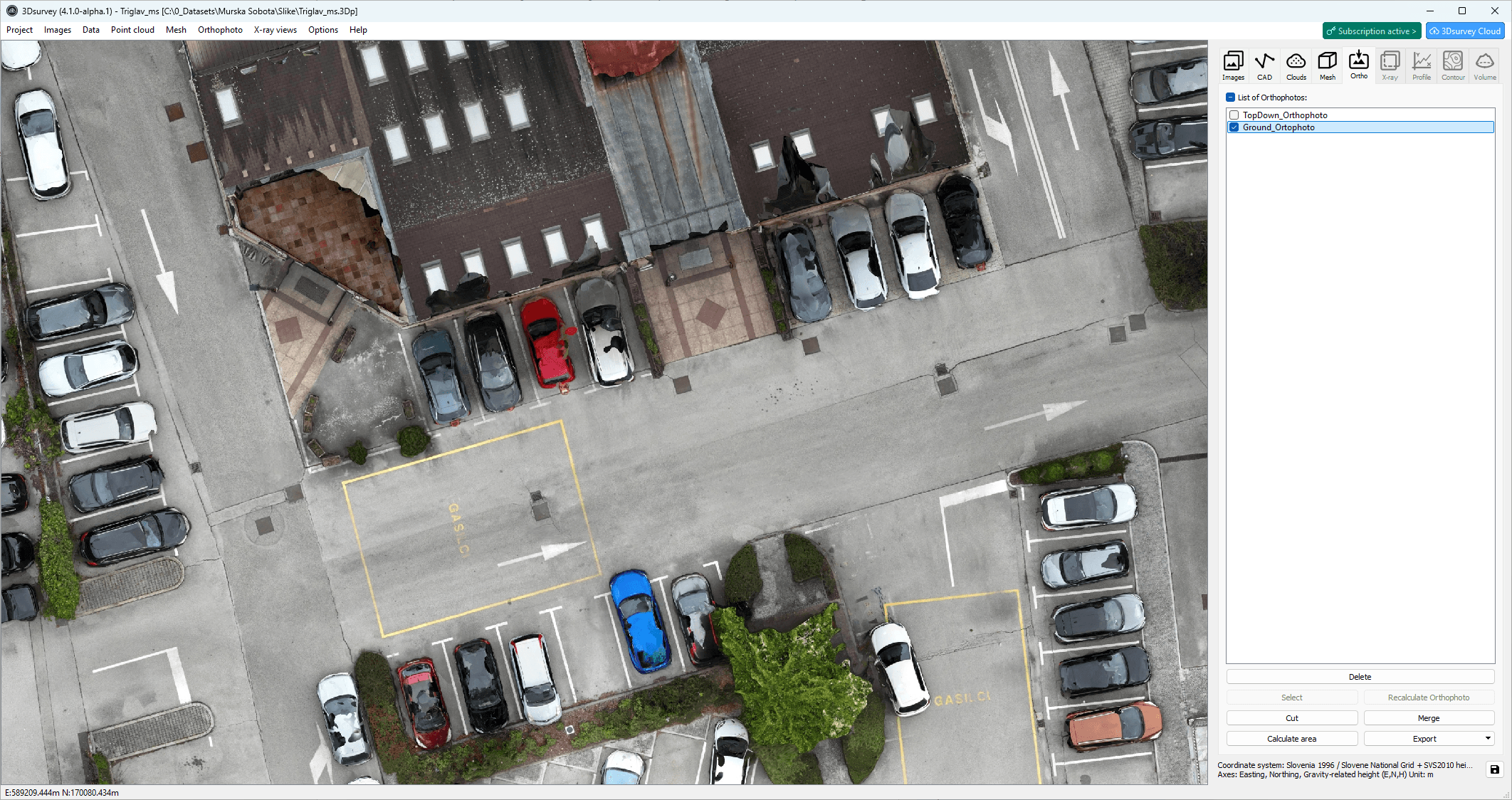
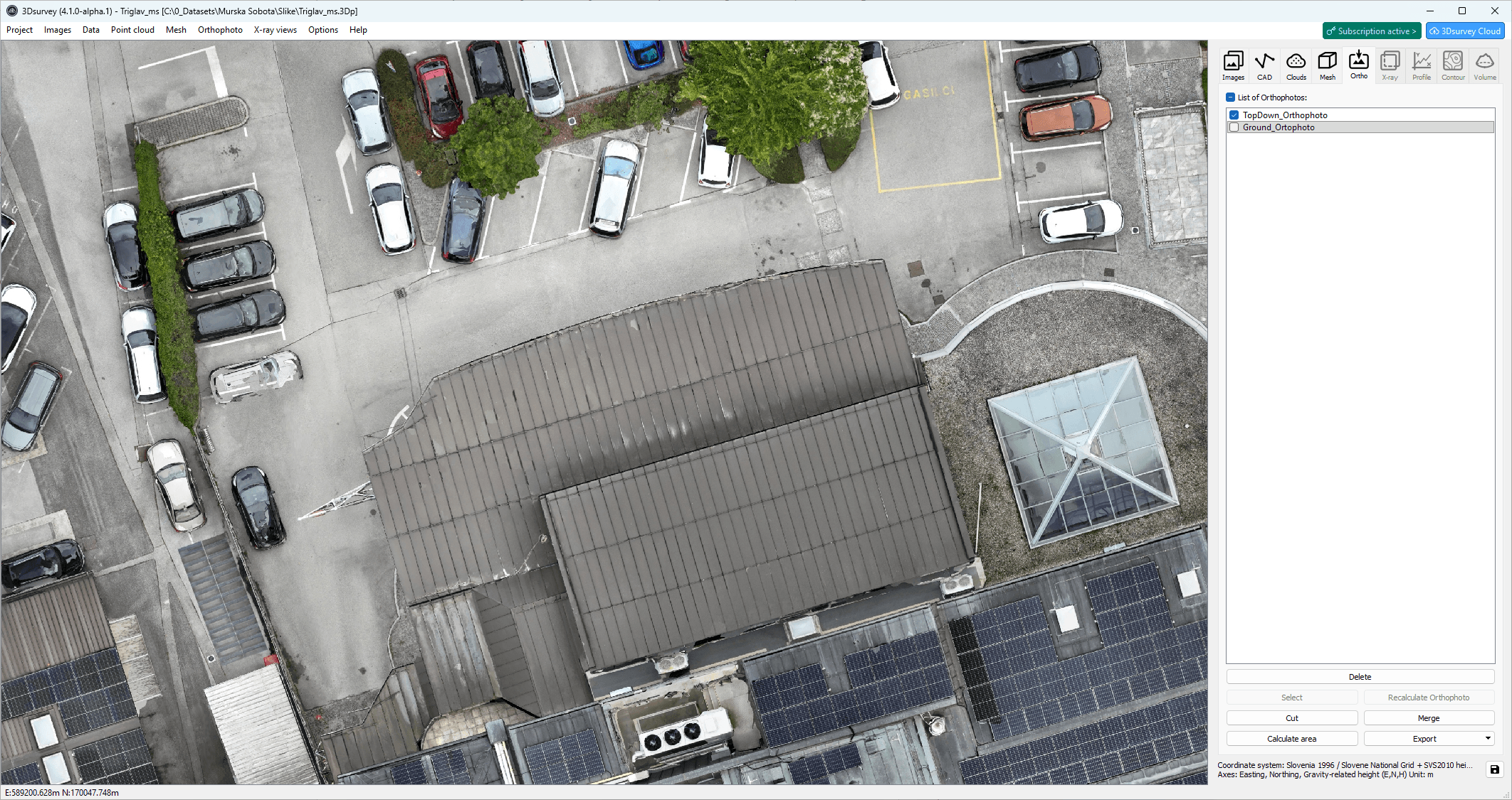
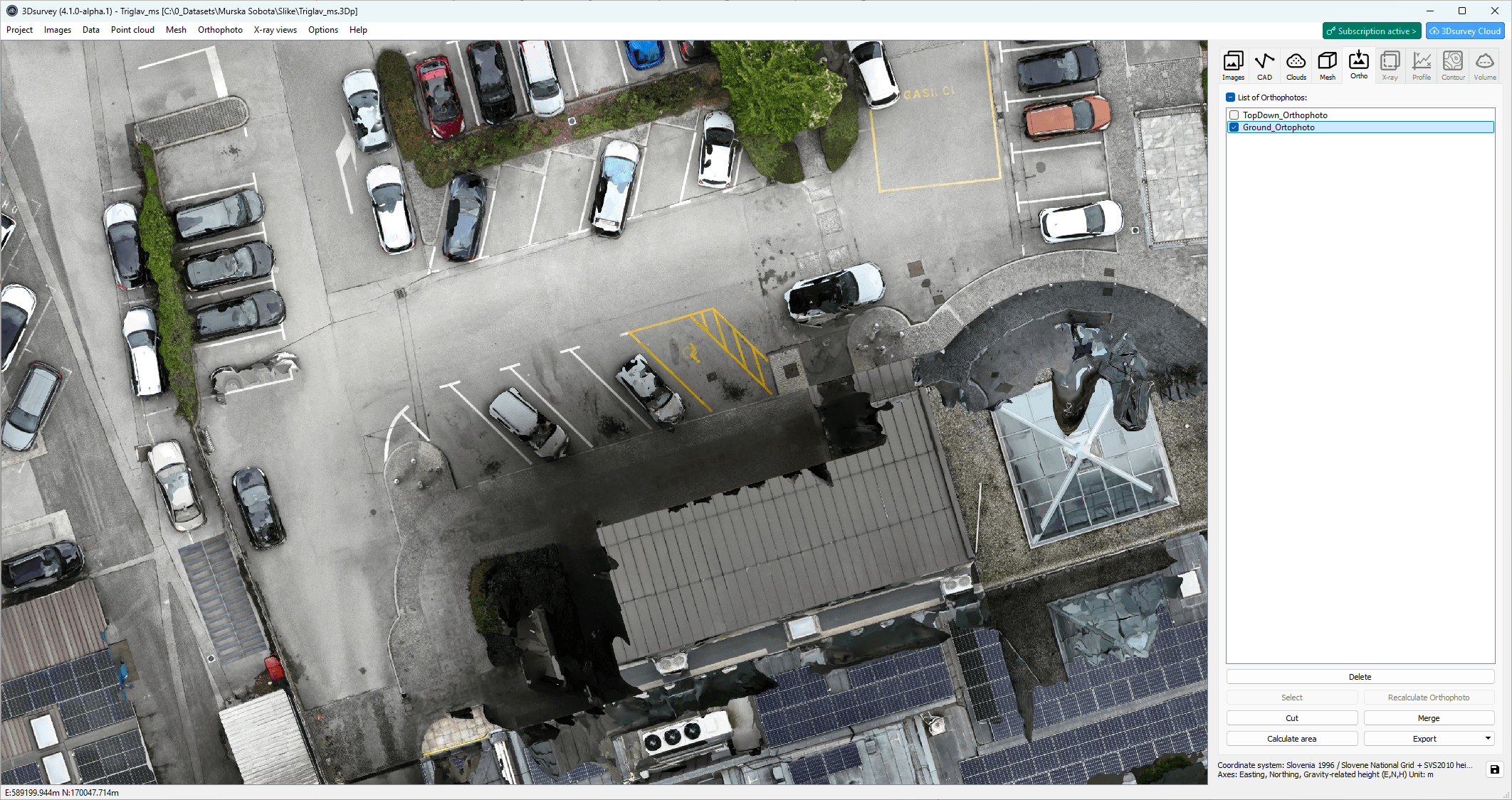
4. Ground Orthophoto
A new Ground Orthophoto option generates an orthophoto from a bottom-up perspective instead of top-down. This allows users to see ground features hidden under trees, overhangs, or other obstacles, making it easier to identify hidden manholes, roads, edges, and other ground-level elements. This provides a unique view for inspection, planning and accurate vectorization, giving 3Dsurvey a distinct edge.
5. Transform Tool Upgrade
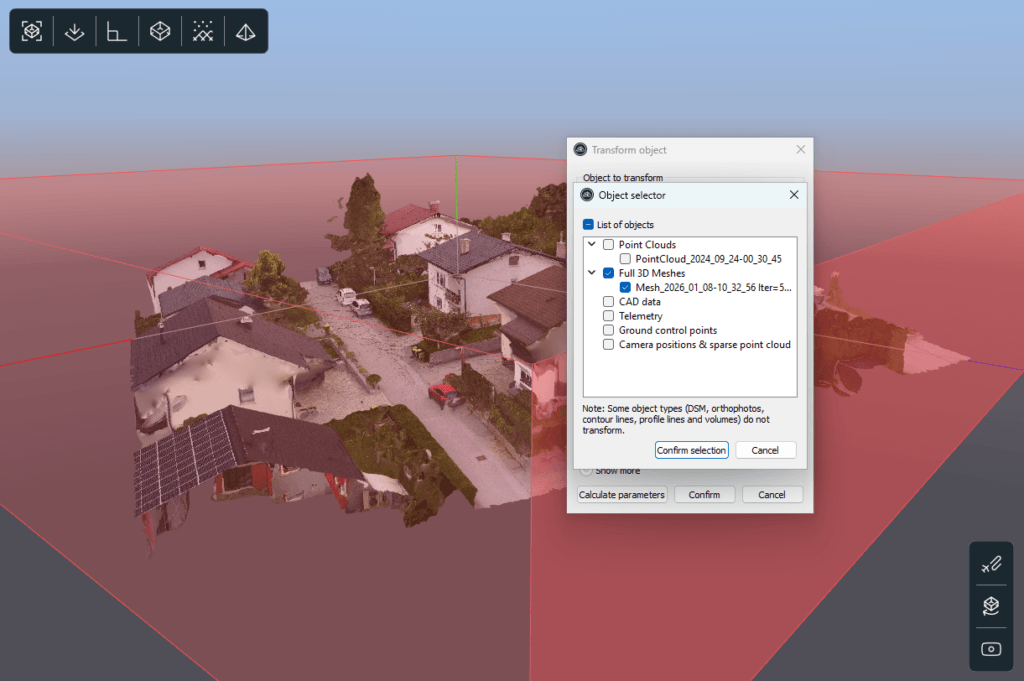
The Transform Tool has been redesigned and upgraded to give users greater control over which objects are transformed. Instead of applying transformations to the entire project, you can now select specific data types (such as point clouds, meshes, cameras, or spherical images)ensuring more accurate and flexible workflows when aligning or repositioning data.
6. X-ray Vectorization Offset (Scan Module)
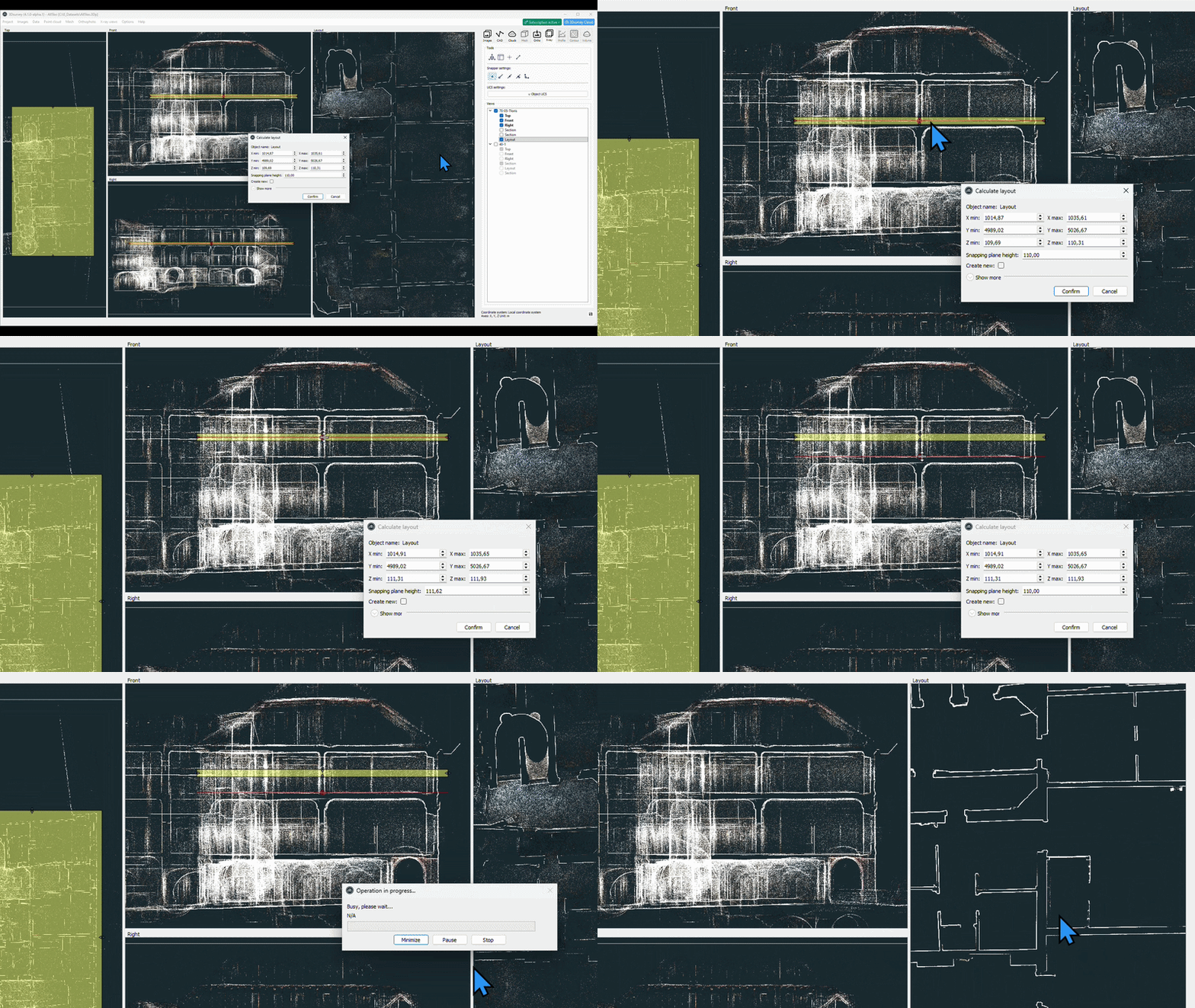
When creating floor plans from scan data, you can now extract data from a cleaner heightlevel while projecting it onto the floor level.
This makes it easier to avoid noise from furniture, vehicles, or clutter and still produce accurate floor plan vectorization.
Define the target height of your vectorization by positioning the red line.
7. Linux Version (Beta)
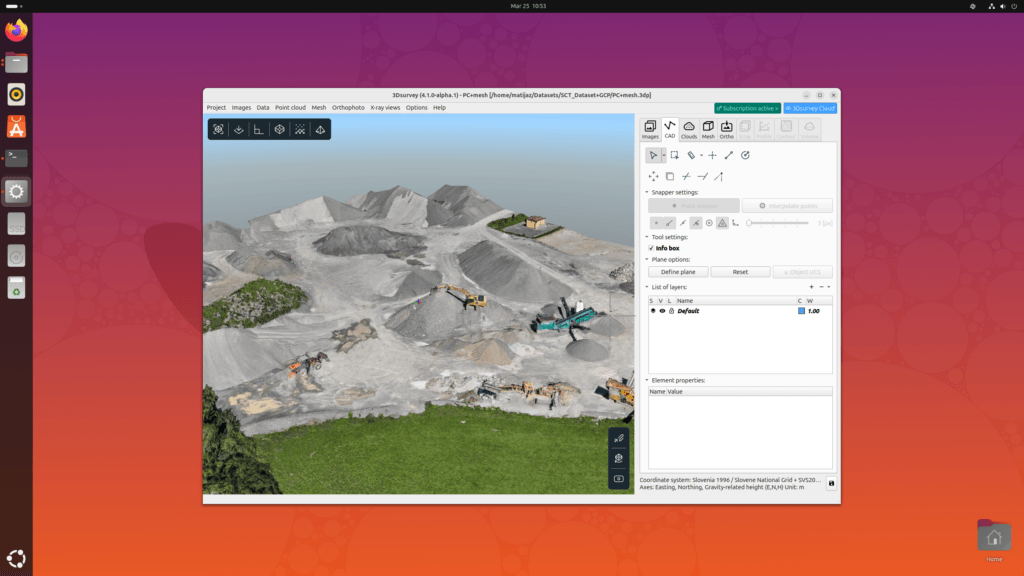
Last, but absolutely not least: 3Dsurvey is now available as a Linux Beta version, expanding platform compatibility and enabling users working in Linux environments to run the software and test workflows outside of Windows OS.
Active users who download the Linux version first need to deactivate their Windows machine and can work on the production license. One must do vice versa to work back with Windows. Users can have up to 10 machines registered. If you exceed that, please contact us.
Running 3Dsurvey in Ubuntu Linux.
Disclaimer: A few features are not supported in the Linux beta version. This includes: reports, .zLAS format and SG lock license key.