
Key takeaways
The SLAM market is expanding quickly, with new handheld devices entering all price tiers—from budget to high-end professional systems.
Despite the rapid growth, independent real-world comparisons remain rare, making it difficult for professionals to understand how devices perform beyond official specs.
This case study evaluates a diverse selection of handheld SLAM scanners to compare how they behave in realistic field conditions.
All tested units were reviewed for range, scan rate, accuracy, imaging quality, noise levels, and overall workflow practicality.
Official specifications were weighed against real-world performance in various environments, including indoor, outdoor, low-light, and GNSS-challenged areas.
Post-processing workflows were included in the evaluation to understand how software quality affects the final point cloud output.
The goal is to highlight where each scanner fits, what trade-offs exist, and how hardware and software choices influence usability in professional mapping tasks.
The expansion of a SLAM scanner device
Coming from years of working with photogrammetry, it’s hard not to notice how quickly SLAM (Simultaneous Localization and Mapping) scanners are gaining ground in the broader world of 3D reality capture. What once felt like a niche technology for robotics has now become a serious companion to photogrammetry, increasingly integrated into workflows where speed, mobility, and automation matter as much as raw precision. See our webinar on semi-automatic floorplan generation using SLAM technology.
What's the goal of the comparison?
The challenge with SLAM scanners now is that the market has exploded with options. New devices from established surveying brands and fresh startups alike are appearing almost monthly, each promising accuracy, efficiency, and seamless integration. Yet, despite this surge, there are still few independent tests. For most professionals, it’s difficult to know which scanners actually deliver and which fall short once you take them into the field.
This comparison aims to cut through some of that uncertainty. Obviously we cannot test the entire catalogs of each company, but we were able to get our hands on a sub-set of handheld SLAM scanners and put them to the test – weighing official specifications against real-world environment, we can start to see where each scanner fits and where the compromises lie.
Quick disclaimer: The prices included in the comparison are estimated prices for the Slovenian market late 2025.
How did the 7 tested SLAM scanners perform?
Below is the table of our contesters. The values are taken from the device’s official specifications. We tried to pick SLAM scanners of all market tiers. So not all of them compete in the same league. Since users are different and have different demands and budgets, we hope we covered all the niches. Continue reading to learn which SLAM scanner is right for you.
Device | Range | Scan Rate | Accuracy | Imaging | Weight / Battery |
Stonex X200GO | ≤ 300 m | 640k / 1,28M / 1.92M pts/s | ~5 mm | Dual 12 MP cameras, 360° panoramas | ~1.3 kg, ~1.2 h battery |
CHCNAV RS10 | 120 m | 320k pts/s | < 5 cm abs., < 1 cm rel. | 3 × 5 MP cameras | ~1.9 kg, ~1 h battery |
Leica BLK2GO | ≤ 25 m | 420k pts/s | 6–15 mm rel., ~20 mm abs. indoor | 1 × 12 MP + 3 panoramic cams | 775 g, ~45–50 min |
FARO Orbis | 120 m | 640k pts/s | 5 mm (SLAM), 2 mm (Flash) | 72 MP (Premium) | ~ 2,1 kg / ~5–6 kg w/ datalogger |
FJD Trion P1 | ≤ 70 m | ~200k pts/s | ~2 cm rel. | 5760×2880 video; real-time SLAM | ~1.05 kg, ~2 h battery |
3DMakerPro Eagle | 80–140 m | ~200k pts/s | 2 cm @10m | HDR + 8K panoramic cameras | ~1.5 kg, ~1 h battery |
XGRIDS LixelKity K1 | 40 -70 m | ~200k pts/s | ~2 cm rel. | 2 × 48 MP (panoramic), 360° imaging | ~1.0 kg, ~1.5 h battery |
1. Stonex x200GO
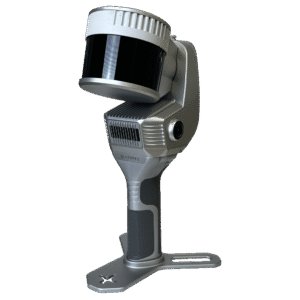
The Stonex X200GO SLAM scanner packs impressive specs: long range, high scan rate, 360° images, GNSS support, hybrid scanning mode, UAV mount option and streamlined software workflow, so we had to put that to the test!
After connecting to the app and installing the RTK antenna, you can start using the device right away. It may take some time to receive the RTK positioning, but once it did, the workflow was simple. Real-time mapping makes it easy, as the app draws a map while you walk.
While on the field we found two distinct features interesting: the ability to measure GCPs with the device and a hybrid mode called X-whizz, where you stand still (place a device on a monopod) in key areas for a few seconds to increase the point density.
However we found the point density of the normal workflow just right and still prefer to measure our control points manually with GNSS.
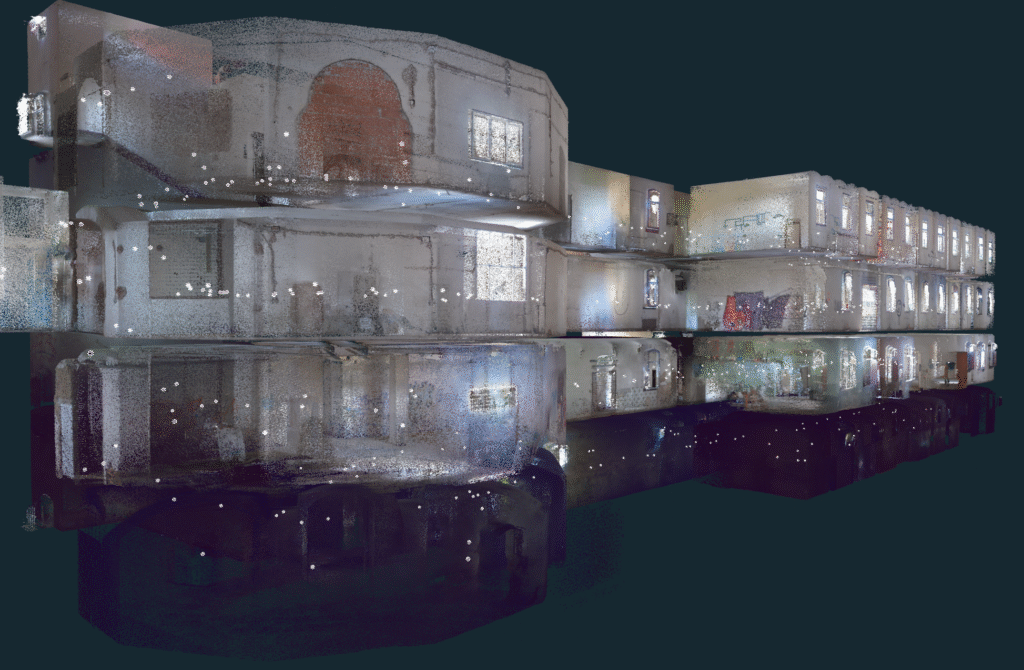
As with any other SLAM, the data acquisition on the field is only the first step. When you come back to the office the raw data needs to go through the initial post processing: point cloud mapping, de-noising, thinning, orientation, coloring, splicing, cropping etc. There is a one-click solve option and some neat features, however the experience was not always smooth.
While the software itself offers some viewing and editing capabilities, the function most needed is export and we were pleased with the possibilities offered. File format .e57 is able to carry the spherical images together with the point cloud in one file. While working with both spherical images alongside point cloud is nothing short of a game changer, (see this webinar for more) we still wished for a better image quality.
The point clouds we received from this device/software bundle were impressive: dense, vivid and accurate. In fact, for larger datasets, we thinned out the point clouds for faster workflow and to save space. The edges are smooth and the noise is minimal, even in the dark. However, scanning long corridors without RTK signal does produce a very small amount of error, distorting the model for about 0,5%.
The Verdict
The Stonex X200GO SLAM scanner is one of the most balanced we’ve tested. It delivers dense, low-noise, survey-ready point clouds with reliable accuracy. Camera quality leaves room for improvement, but overall it stands out as one of the most capable and well-rounded professional SLAM scanners in its class.
2. CHCNAV RS10
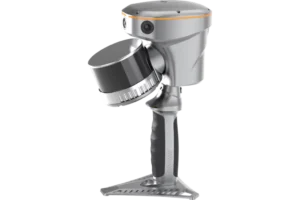
The RS10 by CHCNAV also promises impressive specs for the price tag: high scan rate, integrated RTK, decent range, real-time mapping, etc. Its durable design (slightly on the heavier side) with IP64 rating, supports handheld, chest, pole, or vehicle-mounted workflows, but sadly no UAV mount option. Does it deliver?
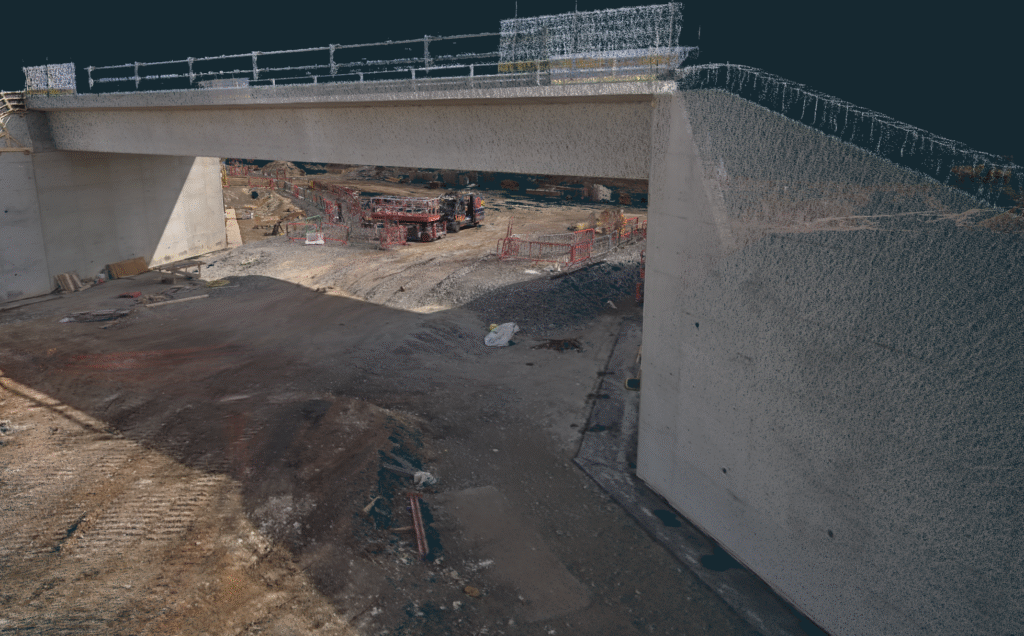
The workflow with 3 × 15 MP cameras, synced to GNSS/IMU trajectory is simple. CHCNAV likes to promote the loop-free workflow, which actually works pretty well for the areas with good service coverage. Working indoors, however, we would still recommend closing the loop.
While not the densest, RS10 produced point clouds with very little noise in post processing. The CoPre app offers a semi automatic workflow with some advanced features (misalignment checks, layer adjustments, ground control points). The resulting surfaces are clear with sharp edges, and colors appear realistic. The SLAM scanner’s three 15MP cameras generate clear images, although these images cannot be exported as panoramas with point clouds in e57 format.
The Verdict
The RS10 SLAM scanner presents a cost-effective choice if you don’t care much about panoramas or spherical images. Great value for the money when low noise and high accuracy point clouds are what you’re looking for.
3. Leica BLK2GO
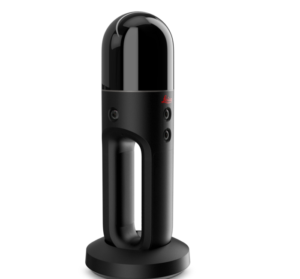
Among all tested devices, Leica’s BLK2GO has the sleekest and most compact design. Their SLAM scanner is primarily designed for indoor and GNSS-denied environments. While outdoor use is possible, the device’s limited range of 25m and the absence of RTK/GNSS, significantly restricts its practical application. At just 775 g with battery, it’s one of the lightest pro-grade SLAM scanners on the market.
Its GrandSLAM technology fuses LiDAR, IMU, and visual odometry from multiple cameras to track position while acquiring both geometry and imagery. The unit captures ~420,000 points per second with a relative accuracy of 6–15 mm. Imaging is handled by a 12 MP high-resolution camera paired with three panoramic cameras. While these work well for coloring point clouds, the panorama images themselves were disappointing: mismatched white balance, poor blending and awkward stitching make them barely usable.
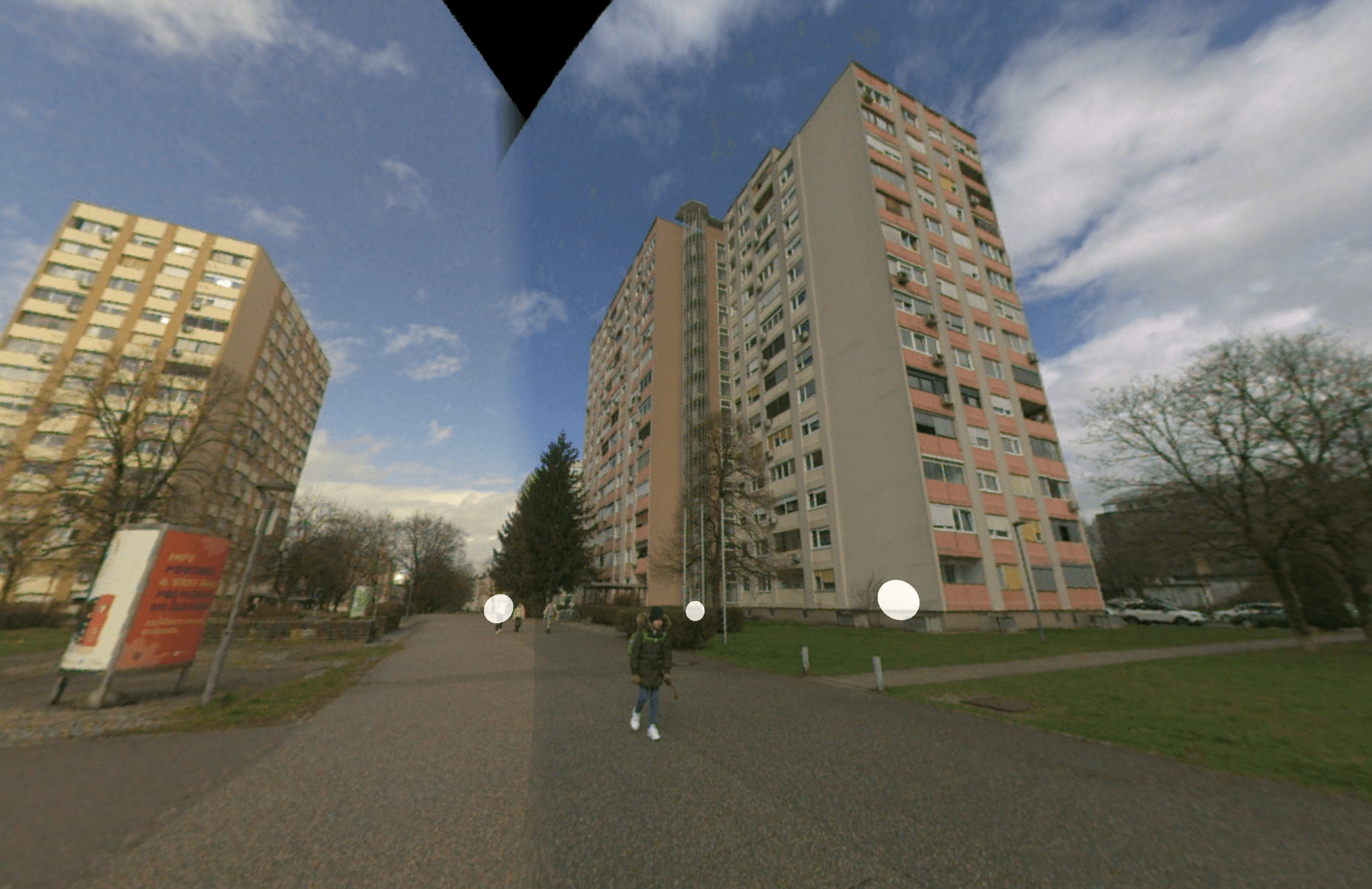
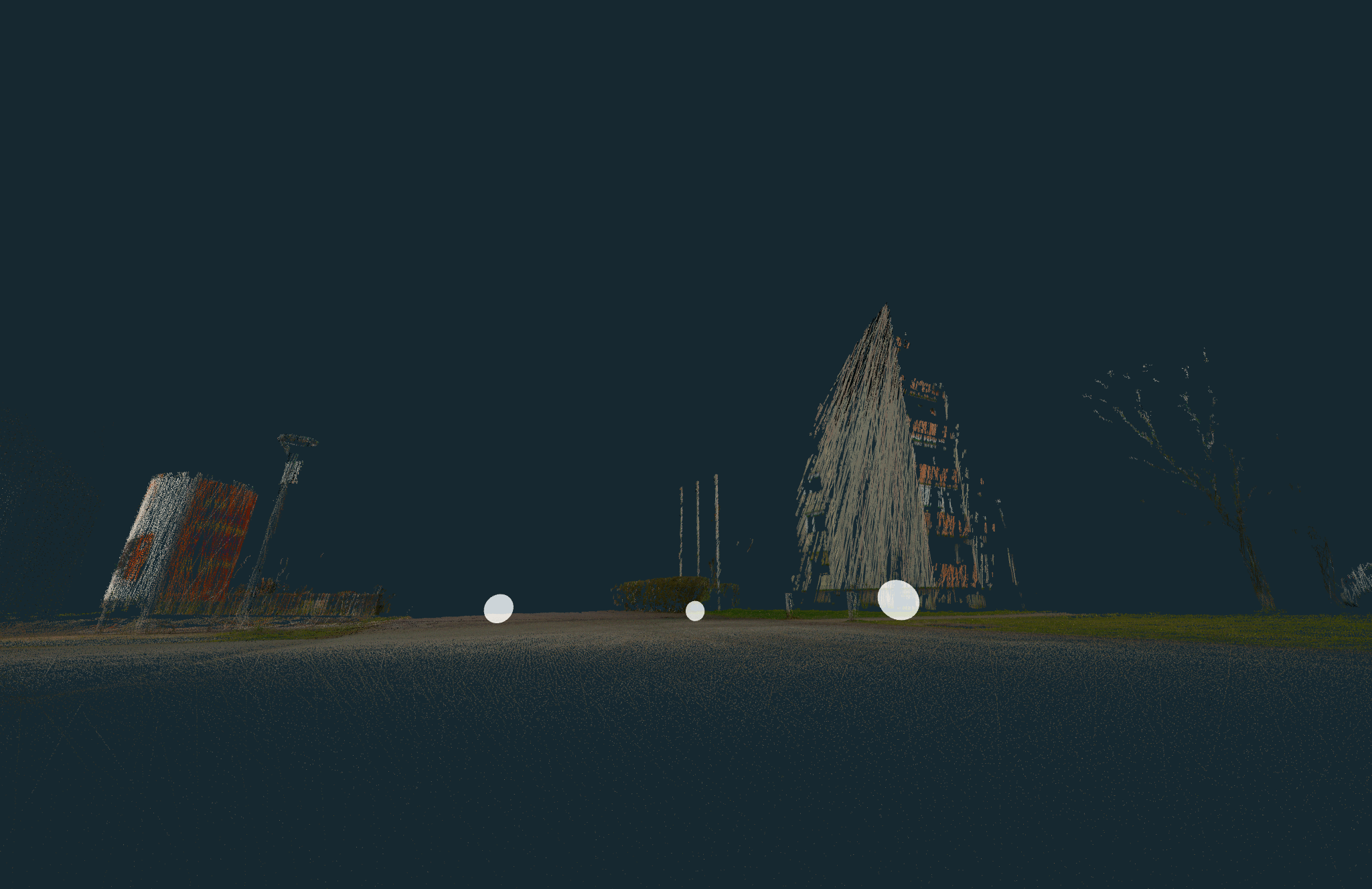
The point clouds require significant filtering to reduce noise, which can remove fine details. In addition, the target recognition is limited compared to tripod-based TLS systems. In the early tests we often noticed the ‘spaghetti effect’. Overall, we were not impressed by the results – a high cost relative to performance.
The Verdict
Compared to other competitors the BLK2GO prioritizes portability and simplicity over maximum range or precision. The BLK2GO’s shorter range and lower scan rate make it more suited to close-quarters mapping, quick site walks, and facilities documentation.
4. FARO Orbis™
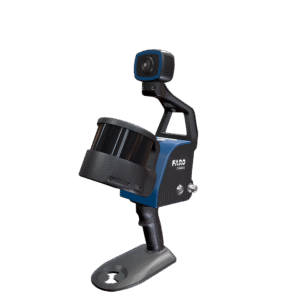
The FARO Orbis is a hybrid mobile laser scanner that combines SLAM-based mobile scanning with Flash TLS (terrestrial laser scanning). In SLAM mode, it achieves accuracies around 5 mm with ranges up to 120 m, while in Flash mode (stationary scanning) it claims to deliver up to 2 mm accuracy within 80 m. This dual capability allows users to walk quickly through environments for coverage, then pause at critical spots to capture higher-detail TLS scans, similar to Stonex X200GO X-whizz feature. It can also be mounted on a car or a backpack (sadly not on a drone though).
The Orbis offers dense point clouds with relatively low noise. And while they look superior at first glance, you may find imperfections at a closer look. A minor inconvenience is that not all points in the point cloud were colorized. In addition, if true color is of great importance to you, the black points are sort of dead-weight.
As with the other options, the FARO Orbis is not immune to misalignments. But where we were let down the most, was with the camera quality. While the export of the .e57 point cloud with full 360° spherical images is very practical, the images themselves are not inspiring. They work alright for quick inspection, but when you want to zoom in, the details are quickly lost. The Orbis Premium variant adds high-resolution (72 MP) imaging, which may solve this problem, but we have not tested this model.
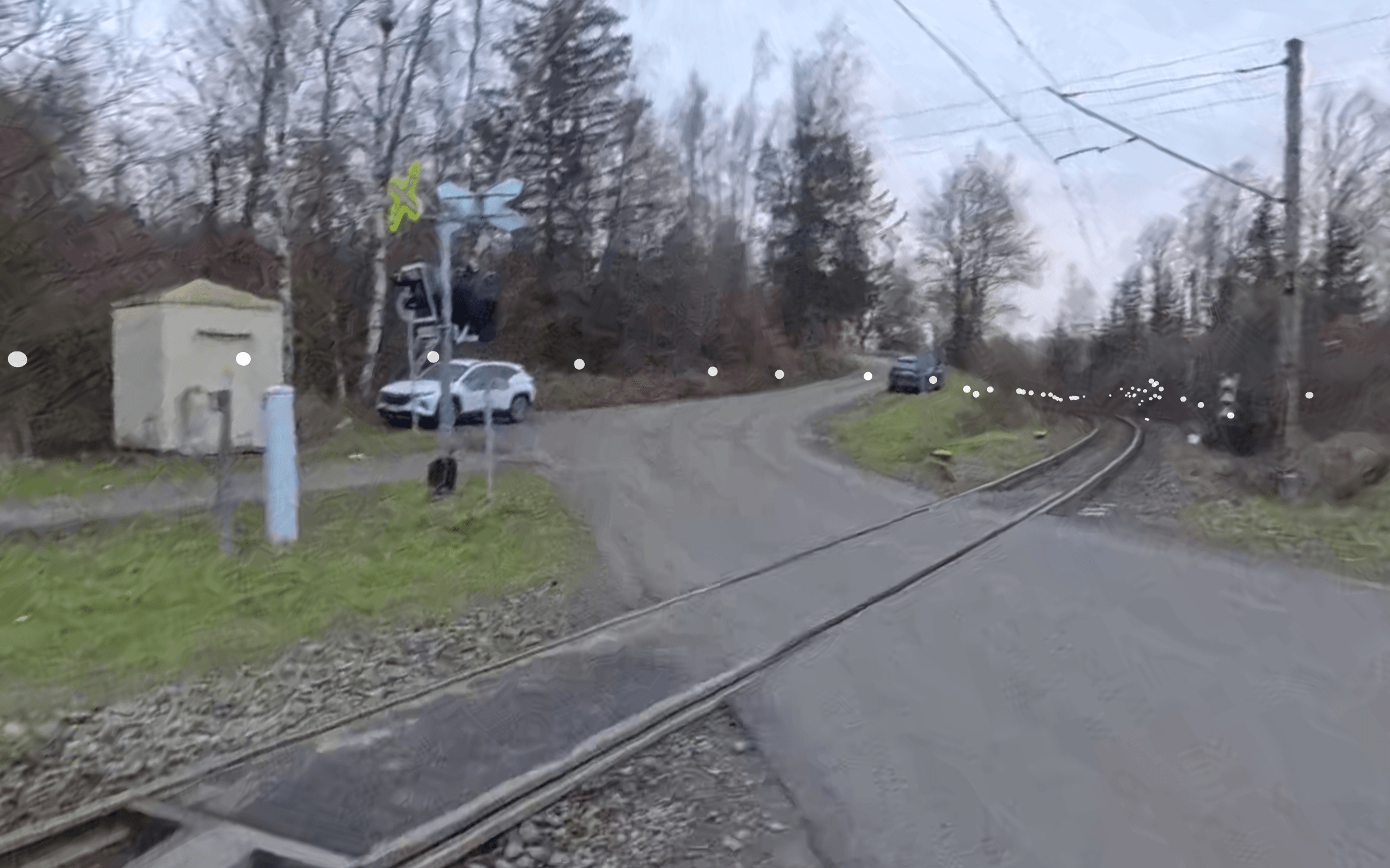
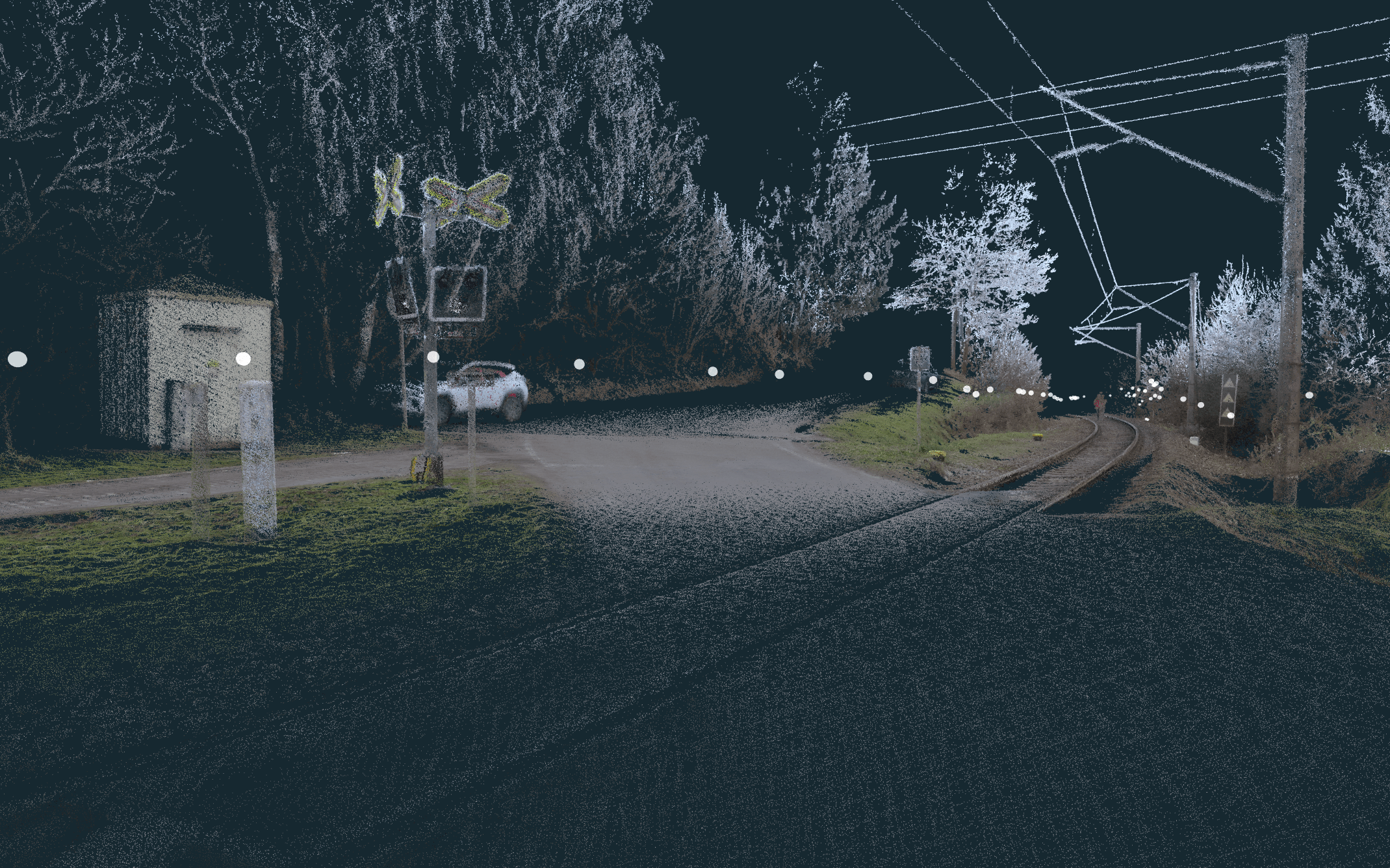
Compared to competitors, the Orbis positions itself as a premium hybrid solution, but at the cost of greater bulk and a steeper price (often >€50k). FARO excels at scalable upgradability. When your main priority is acquiring the shortest time to get data from the field to the office, opt-in to the Sphere XG. Upload your data directly from the mobile app to the cloud processing and viewing platform. Unlike CHCNAV RS10 or Stonex X200GO with RTK options, Orbis does not have built-in GNSS, so it can’t directly georeference in real time. It always needs post-processing alignment.
The Verdict
The FARO Orbis is a high-end, versatile scanner that appeals to professionals needing both rapid SLAM mobility and high-detail TLS in one package. Its cost and complexity make it overkill for basic indoor mapping and the lack of built-in or optional RTK makes it less convenient for surveying jobs.
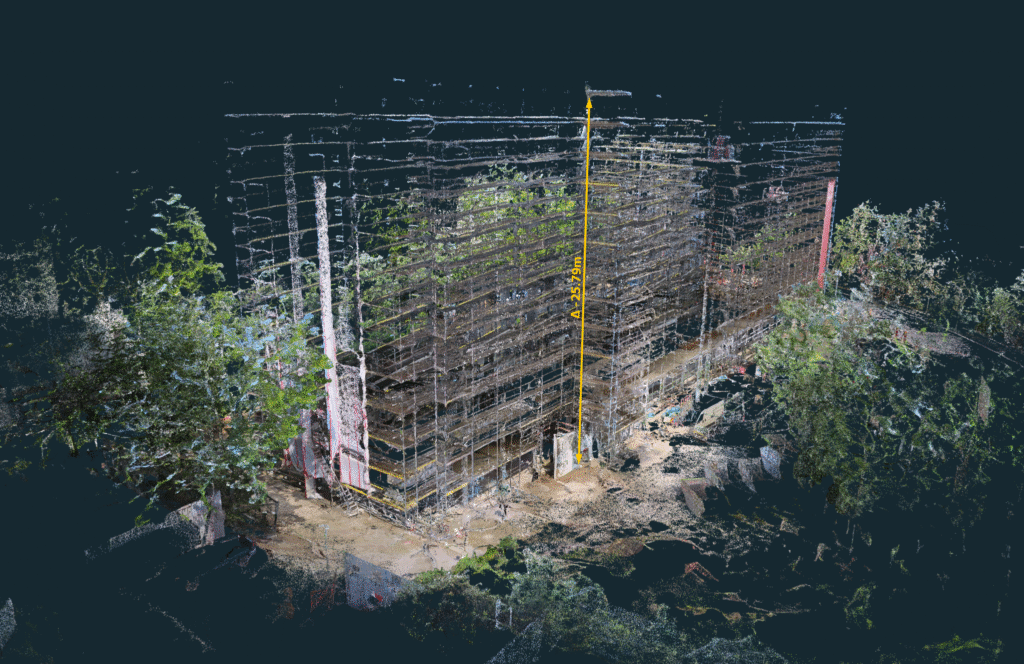
5. FJD Trion P1
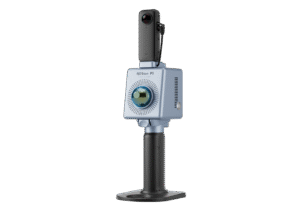
The FJD Trion P1 makes a good impression as a lightweight, affordable handheld SLAM scanner, especially for mid-range point cloud capture. Its official specs: 1.15 kg weight, ~200,000 pts/sec, 40-70 m range and up to ~2 cm relative accuracy, compare favorably against many entry and mid-level SLAM tools.
However, real-world use reveals the typical trade-offs:
- the 2 cm accuracy is often achievable only under optimal conditions (good reflectivity, short range, strong overlap), and
- noise starts creeping in when pushing into more challenging (real) environments.
On top of this, stability and accuracy aren’t consistent enough for projects demanding tight centimeter-level fidelity, and that can limit its use in professional survey or engineering contexts. Another drawback lies in the external Insta360 camera integration. While the option to pair it promises richer visual data, in reality this can be rather frustrating. The calibration is tricky, and at times, the Insta360 fails to record, which interrupts workflows. But when everything works as it should your results will be good value for the money.
The Verdict
Frankly, for about one third of the price of the high-tier competitors, FJD Trion P1 brings about the same level of quality.
Where the P1 is best suited:
- GIS mapping
- building documentation
- similar tasks where visual quality, portability, and speed matter more than ultra-fine precision or long-range accuracy.
Where it struggles:
- projects requiring centimeter fidelity
- long‐distance scanning
- heavy reliance on RTK/GNSS for absolute control
6. 3DMakerPro Eagle
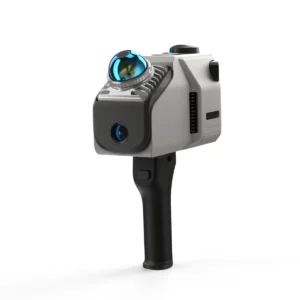
With a price tag of just a few thousand euros (depending on the add-ons), the 3DMakerPro Eagle is by far the most affordable option. But is it any good?
It is marketed as an affordable, lightweight LiDAR solution aimed for digital twin creation and 3D visualization rather than strict survey-grade applications. The official specification says it captures up to ~200,000 points per second with ranges between 80–140 m and delivers relative accuracies of about 2 cm at 10 m, degrading on a range. For extra accuracy and convenience an RTK module upgrade is available, and that is what we tested.
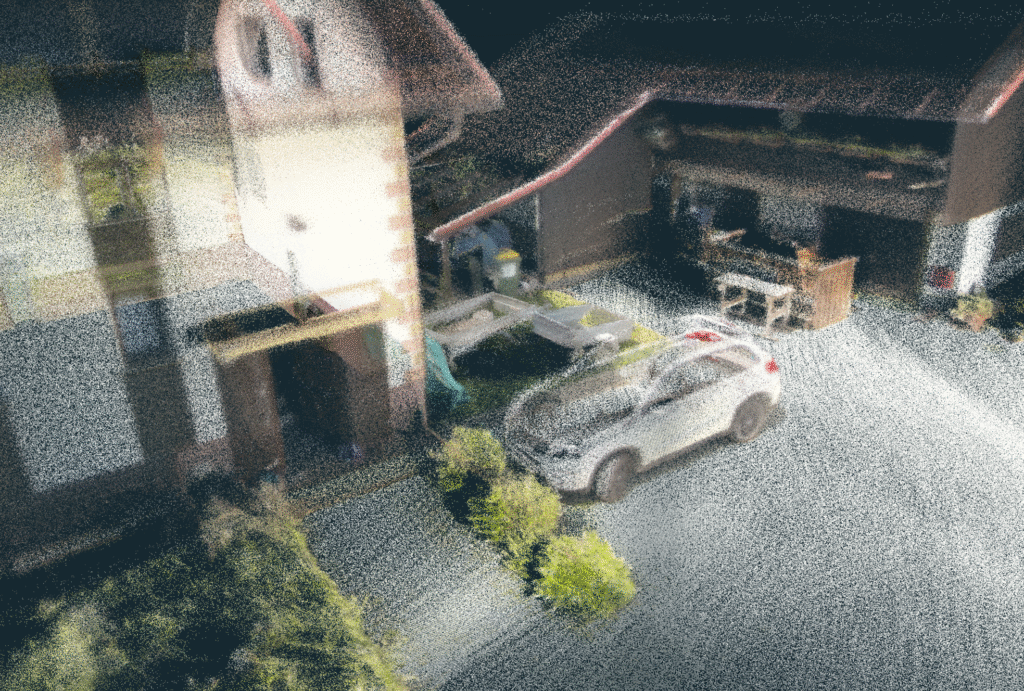
At ~1.5 kg, the Eagle is portable, but definitely not the lightest. With one-hour battery life, the slam scanner was rather easy to use if we turned a blind eye to some random glitches. We quickly recorded our test subject and at first it seemed like a nice reality capture device. However, then came the post processing. The software workflow supports PLY, OBJ, panoramic outputs, and even newer methods like Gaussian splatting – features unusual at this price tier. It looks alright at the first glance, but the image falls apart quickly: the surface noise makes point clouds barely usable and far from fit for professional use.
The Verdict
The 3DMakerPro Eagle fills a niche as an entry-level LiDAR SLAM device with some imaging features, good for general purpose digital twin content and possibly GIS. It is not a survey-grade tool, but it delivers scans at a very accessible price.
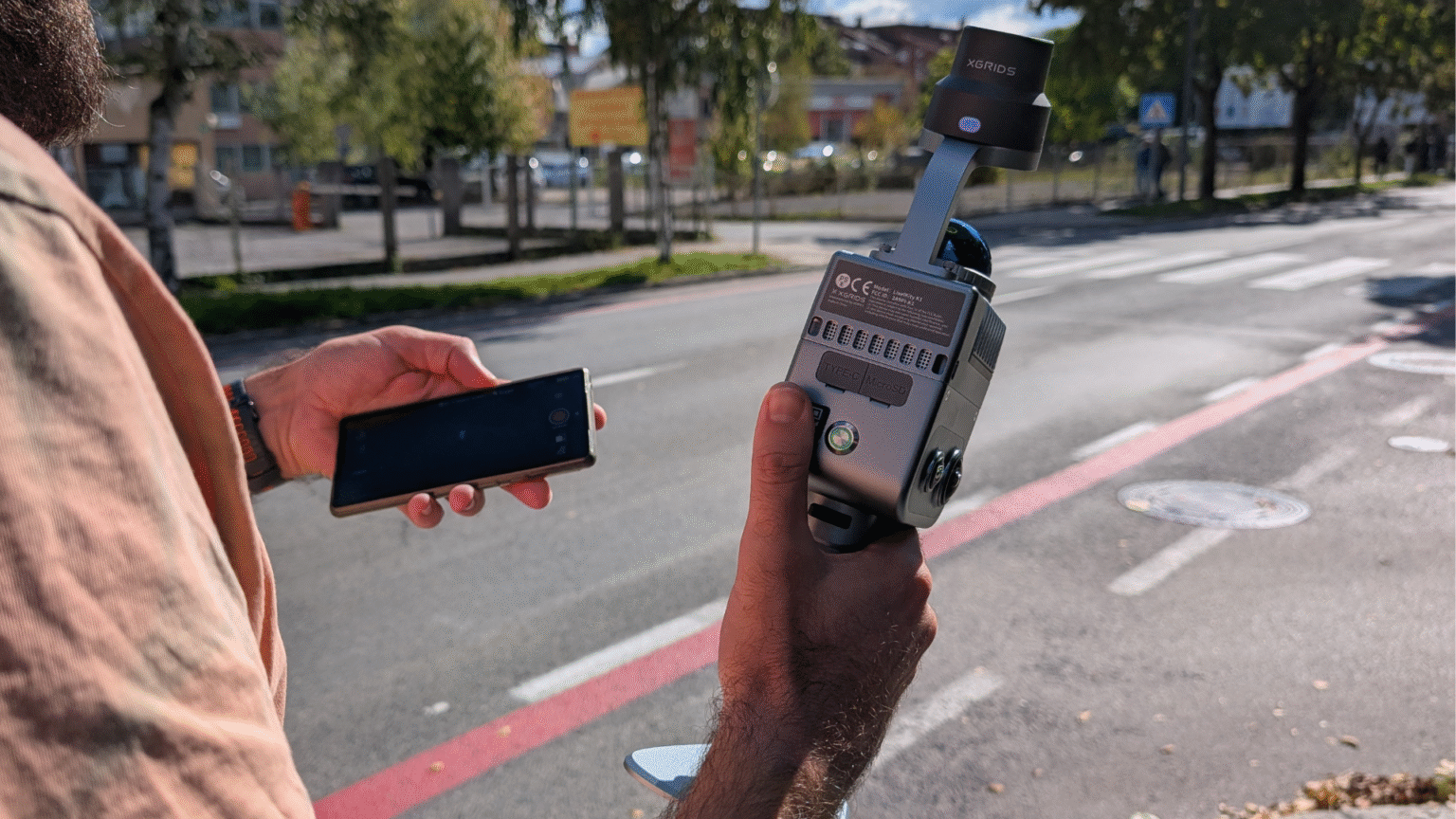
7. XGRIDS LixelKity K1
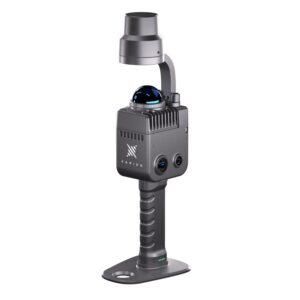
The last SLAM scanner we tested was the XGRIDS LixelKity K1. It is a compelling addition to the handheld SLAM scanner scene, particularly for users prioritizing portability and workflow integration. At just under 1 kg, and equipped with dual panoramic cameras and a 40-line LiDAR sensor, it promises an appealing balance of sensor capability and usability. Its Gaussian splatting workflow is another bonus. So how did it perform on our test?
The light weight of Lixel K1 makes it rather easy to walk around with. But during our test two minor things bothered us. The design of the device is not ideal for ground capturing, as the dome sensor located on top of the device cannot “see” the ground if you hold it level. You will need to tilt it forward/downward to get some footing a few meters in front of you. One can adapt to this sort of workflow, but it makes long scan-walks uncomfortable. The other issue is a phone holder – just purchase it! Without it you’ll end up with no hands free and when you need to control the device, it’s a very clumsy situation.
Apart from these inconveniences, the device is very easy to use. The built-in IMU support (tilt tolerance) is a useful feature (or a must) for any real job. Our tests returned some good looking point clouds with not much noise.
One thing to keep in mind though, at this scanning rate, you have to walk slowly in order to get a really dense point cloud. While the RTK support is solid (there seemed to be some connection bugs on our unit while testing), the real use-cases for this device were indoor. The limiting factor is range; with only 40 m of range you quickly fall short on large scale sites. The claimed accuracy degrades, and artifacts or noise may become evident.
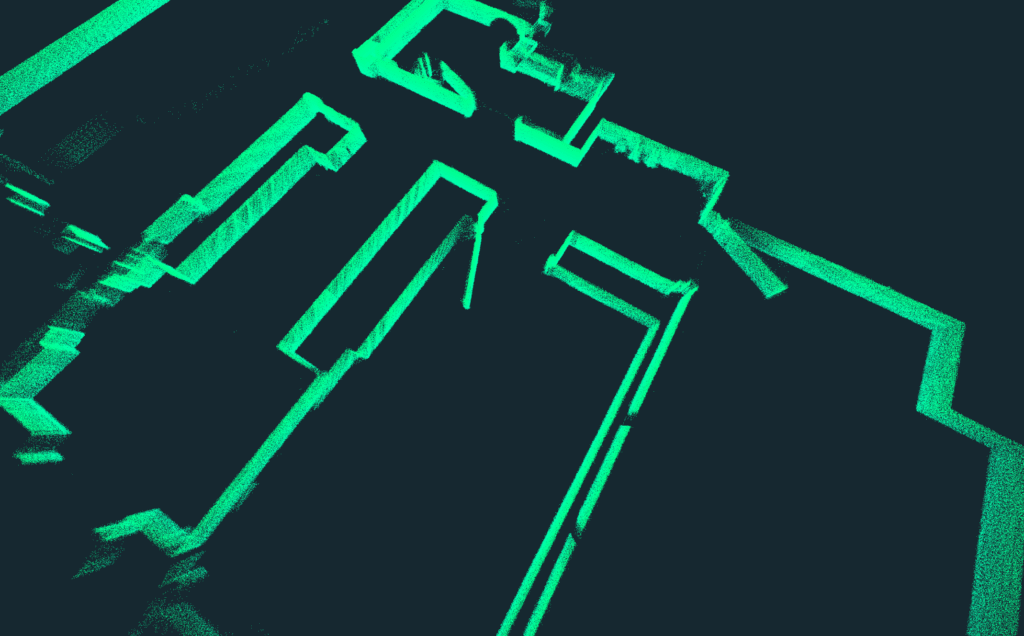
The Verdict
LixelKity K1 is best suited for applications where visual richness and mobility matter more than sub-millimetric survey-grade precision or a long reach. It adds a valuable middle ground option in our comparison set. It is less robust than FARO Orbis, CHCNav RS10 or Stonex X200GO in extreme survey settings, but stronger than most budget SLAMs on the market.
How do the devices compare?
Now how do these devices stack up? What can we recommend? And what to avoid?
Relative accuracy & minimal point cloud noise
Our primary criteria for a SLAM scanner are relative accuracy and minimal point cloud noise. The ideal system delivers precise, low-noise data without drifting, alignment errors, or artifacts. Achieving this requires a scanner built around a rotating multi-channel LiDAR unit paired with an IMU. Anything promising visual positioning via cameras will most likely involve compromises.
Considering these factors, less than half of the list remains:
- FARO Orbis,
- CHCNAV RS10, and
- Stonex X200GO.
Each of these SLAM scanners bring strong capabilities to modern professional surveying and mapping. The X200GO stands out for point-cloud density, with the Orbis close behind and the RS10 third. The RS10 claims to have superior absolute positioning, however on the field tests it was neck to neck with X200GO, all within a margin of error, while the Orbis could not compete.
Noise performance
When it comes to noise performance, the differences are less decisive. Under various conditions, each of those 3 SLAM scanners is capable of delivering impressively clean results, and outcomes often depend more on workflow choices, such as post-processing smoothing or the static-capture X-Whizz mode on the Stonex, than on the hardware itself. The LixelKity K1, while not a survey-grade competitor, impressed in this regard. Compared to the other entry-level units, the K1 feels more refined, though it still can’t match the geometric precision of the Orbis, RS10, or X200GO.
Lightweight & device portability
Compared to other reality capturing equipment, the key advantage of handheld SLAM devices is their lightweight, portable design. Here’s where Leica shines with its design piece BLK2GO, weighing only 775 g. However lightness comes with a high price of accuracy and image quality. We did expect this from budget devices, but not from a powerhouse like Leica.
We found the 1.3 kg Stonex X200GO light to carry, while the 1,9 kg RS10 can start to feel heavy on large project sites. Heavier setups such as the ~6 kg Orbis with a data logger simply requires a harness or a monopod.
Accompanying software
Competition on the SLAM market is fierce, and it shows especially in the accompanying software. Both the control apps and post-processing tools revealed weak points in all devices, from occasional connection glitches to instability during export. These shortcomings aren’t deal-breakers, but they do highlight that the software component is still playing catch up. Given the pace of development, we expect most of these issues to be addressed in upcoming updates.
Summary Table
Device | Strengths | Limitations / Notes |
Stonex X200GO | Dense, low-noise point clouds; hybrid mobile + static X-Whizz mode; RTK support; lightweight and easy to carry. | Camera quality could be better; software occasionally inconsistent. |
CHCNAV RS10 | Good value; integrated RTK; low-noise, sharp point clouds. | No panorama export; heavier to carry. |
Leica BLK2GO | Compact and lightweight; simple and polished user experience; good for quick indoor mapping. | No GNSS/RTK; noisy data; poor panorama stitching; very high price. |
FARO Orbis | High-quality, dense clouds; hybrid SLAM + Flash TLS; versatile scanning modes. | Heavy setup; visible camera limitations; possible misalignments; lacks GNSS/RTK; expensive. |
FJD Trion P1 | Budget-friendly; lightweight; decent results in short-range or well-overlapped scans. | Accuracy and stability degrade in real-world conditions; Insta360 workflow unreliable; limited range. |
3DMakerPro Eagle | Very affordable; suitable for visualization and basic digital twins. | No INS/RTK; high drift/noise; unstable connection; point clouds too noisy for professional use. |
XGRIDS LixelKity K1 | Lightweight; good indoor results; IMU integration; attractive price-performance. | Limited range, accuracy drops on larger sites; ergonomics awkward; occasional RTK connectivity bugs. |
Conclusion
For surveyors seeking dependable, professional-grade SLAM, the real contenders are the X200GO, RS10 and Orbis. The differences between them are less about raw capability and more about which trade-offs (weight, price, positioning, or workflow flexibility) align best with the needs of your projects.
The good news is that all of them are compatible with 3Dsurvey software. If you haven’t tried the software yet, download our 14-day free trial and start today!
If you are interested, we also compared RTK Videogrammetry vs. SLAM Scanning in a pragmatic guide to choosing the right option every time.

